
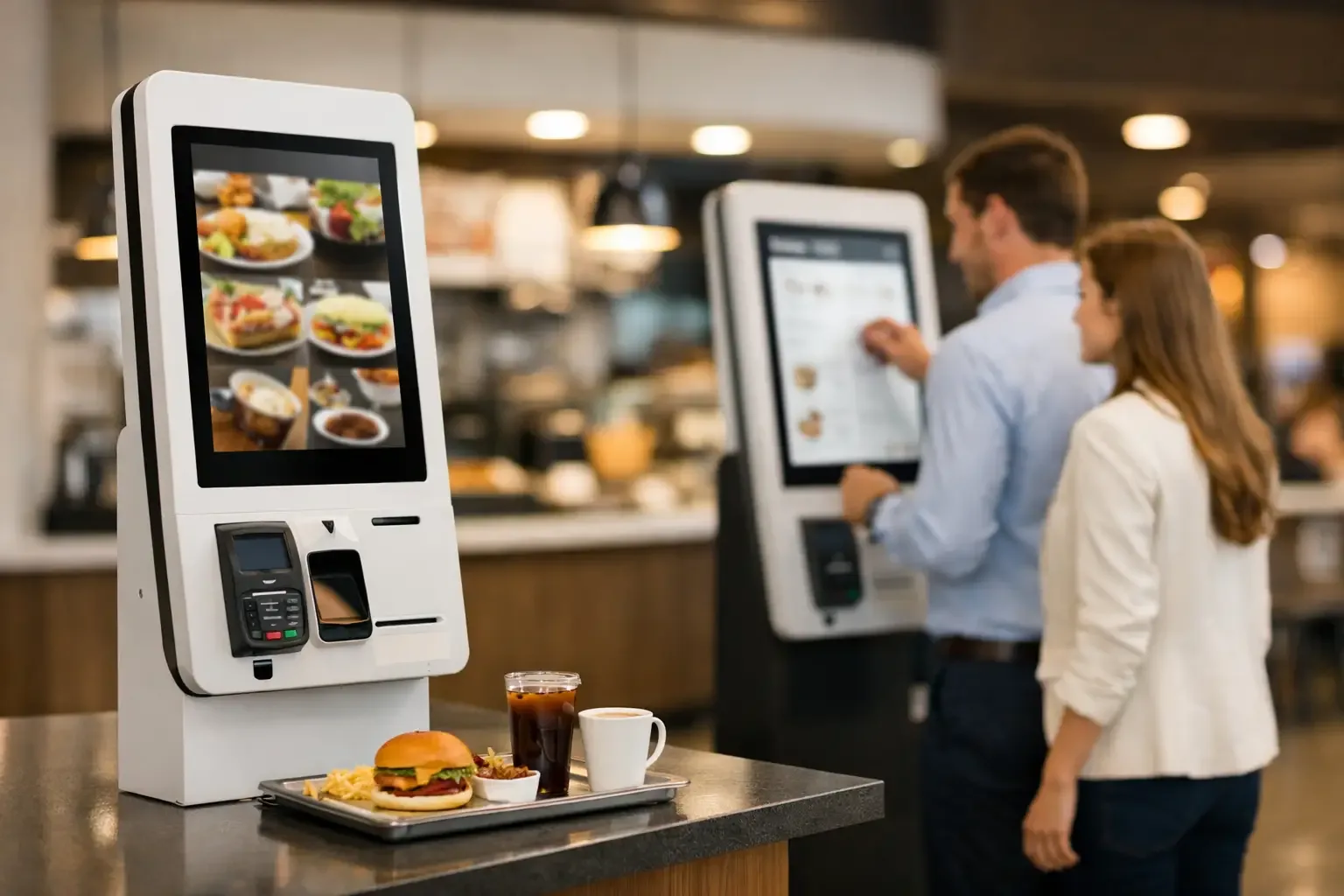
A queue that moves slowly at lunchtime, orders repeated by mistake and a team split between taking payments and preparing service are real operating costs. Faced with this scenario, the question “is a self-service kiosk worth it?” cannot be answered by the price of the equipment alone. It is answered by the business’s ability to serve more customers, reduce errors and keep control over every transaction.
For restaurants, retail, hospitality or launderettes, a self-service kiosk can change the way the point of service works. But the return depends on the volume of use, the process you want to automate and how well the solution is integrated with the existing operation.
What changes with a self-service kiosk
A kiosk lets customers browse options, select products or services, customise their order and pay without relying on a member of staff at every step. Automation does not necessarily remove the need for staff. It frees them from the most repetitive tasks and focuses them where they have the most impact: preparation, customer support, restocking and operational control.
In a quick-service restaurant, for example, staff no longer have to switch constantly between taking orders, taking payments and answering basic questions. Orders reach production in a more structured way, payment is recorded on the spot and customers gain independence. At peak times, this organisation can make a significant difference to service capacity.
In retail, the model can reduce queues for simple transactions. In hospitality, it can speed up check-in and ease pressure on reception when many guests arrive at once. In a self-service launderette, the kiosk centralises payments and service selection, contributing to a more autonomous operation that is available for longer hours.
Is a self-service kiosk worth it for your business?
It is worth it when it solves a specific bottleneck in the operation, not just because it conveys a modern image. The decision should start from simple data: how many customers are served per day, how long each payment takes, when queues form, how many recording or communication errors occur and which tasks keep staff busy without adding value to the service.
A business with a steady flow, well-defined peak times and frequent payments tends to see more visible gains. There is also potential when it is hard to recruit for front-of-house roles, when space is limited or when the manager needs greater consistency in the sales process.
On the other hand, a kiosk may not be an immediate priority in a venue with a low volume of transactions, highly personalised service or internal processes that are still poorly organised. If production cannot keep up with more orders, automating order taking may simply move the queue elsewhere. First, you need to make sure the kitchen, warehouse, reception or shop operation can cope with the new pace.
Signs that there is a potential return
There are clear signs that automation deserves to be assessed. Recurring queues at the same times, customers who give up before buying, staff overloaded with payments, till discrepancies, incorrectly recorded orders and waiting times that are hard to control are some of them.
Another sign is the need for greater predictability. With orders and payments processed digitally, management gains more consistent information on items sold, busiest hours, payment methods and buying behaviour. This visibility supports decisions on rotas, menus, promotions and how service is organised.
The benefits that affect the bottom line
The most immediate gain is speed. By creating an additional ordering and payment channel, the kiosk reduces dependence on a single counter. That does not mean every customer will prefer to use it, but many value being able to proceed at their own pace, especially for simple or repeat purchases.
Fewer errors is another important benefit. An order entered by the customer, with options clearly presented on screen, reduces miscommunication. In restaurants, this helps reduce corrections, waste and disputes at handover. Configuring the menu correctly is decisive: modifiers, unavailable items, extras and essential information should be easy to find.
Payment control also improves. Transactions are recorded automatically, there is less cash handling and reconciliation becomes simpler. When the solution includes integration with payment and management systems, the manager can monitor activity more rigorously and reduce weak points in the till process.
There is also a commercial benefit worth noting. A well-configured kiosk can present relevant add-ons and options at the moment of decision. This is not about pressuring customers, but about making visible products that might go unnoticed at the counter. A dessert, an extra, a larger size or an additional service can raise the average spend when they make sense in context.
Costs and conditions to include in the assessment
The investment is not limited to the equipment. It should include software, integration with the point of sale system, payment methods, installation, configuration, training and maintenance. The quality of the implementation partner is crucial, because a kiosk isolated from the rest of the process creates manual work instead of reducing it.
You also need to assess the physical space. The unit should be in a visible, accessible and logical spot on the customer’s route, without causing congestion. A poorly placed kiosk can cause confusion, crossing queues and lower uptake. Signage and staff communication in the first few days help customers adopt the new channel with confidence.
The user experience deserves the same care. A screen with too many options, confusing steps or unclear messages undermines the speed you are trying to achieve. The flow should be direct: choose, confirm, pay and know what happens next. The more intuitive it is, the less need there will be for constant support.
How to calculate the return realistically
The return should be analysed using operational indicators, not just sales estimates. Compare the average time per transaction before and after implementation, the number of transactions per hour, the error rate, the cost of service, the average order value and till discrepancies.
Also consider the extra capacity created at peak times. If the kiosk lets you serve more customers without proportionally increasing staffing, that gain has direct value. If it reduces losses caused by incorrect orders or customers walking away from long queues, the impact can be equally significant.
A simple analysis can start by estimating how many monthly transactions will be made at the kiosk and how much service time will be saved per transaction. Then relate that gain to operating costs, additional sales and fewer errors. The payback period varies from business to business, but the decision will be safer when it is based on your own metrics and defined goals.
Implementation should keep pace with the operation
Technology works best when it is introduced with a clear plan. Before installation, it is worth mapping the customer journey, deciding who will support initial use, reviewing the menu or catalogue and testing every payment scenario. Staff should understand that the kiosk is a tool to improve service, not an obstacle to the customer relationship.
Once it is up and running, the first data is essential. Look at the periods of highest use, the points where customers abandon the process, the most frequent orders and recurring questions. Small adjustments to product layout, on-screen messages or the physical route can quickly increase uptake.
The choice of solution should reflect the requirements of each sector. SelfPay works with specialised equipment and systems to automate payments and service in in-person operations, helping each business align technology, control and operational efficiency.
A self-service kiosk should not be seen as a piece of equipment placed next to the counter. When it meets a specific need and is well integrated into the process, it becomes an active point of sale, able to reduce friction for customers and give management more control over what happens every day.