
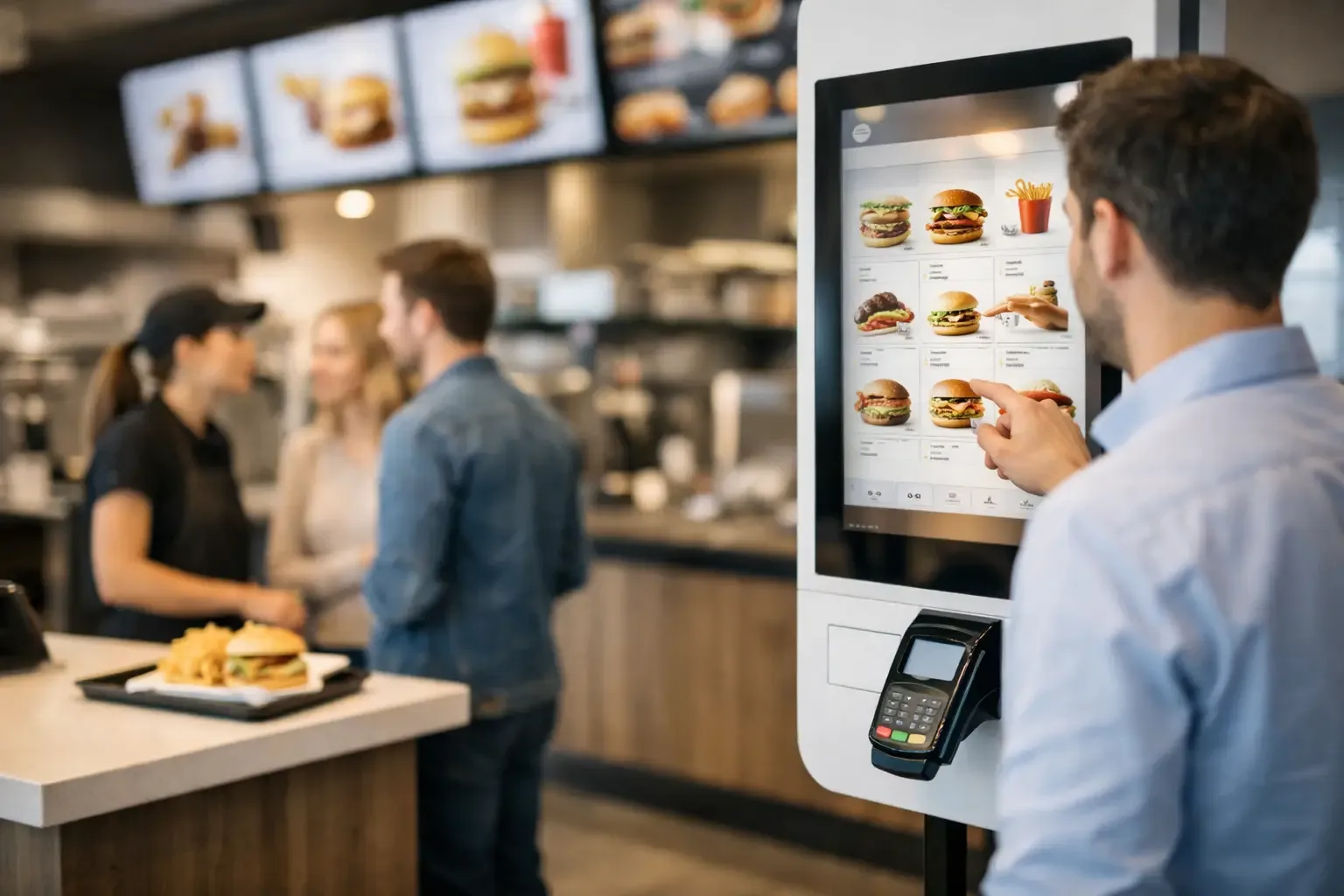
In a restaurant with a queue at the door, the delay rarely starts in the kitchen. It often starts when the customer reads the menu, asks questions, chooses, changes the order and waits to pay. An automatic ordering kiosk reorganises this critical point of service, allowing orders to be placed and payments completed with greater speed, consistency and independence.
For managers in restaurants, food retail, hospitality or high-turnover venues, it is not just about installing a piece of equipment. It is about designing a more efficient service flow, with fewer repetitive tasks at the counter and more capacity for the team to focus on service, production and the customer relationship.
What an automatic ordering kiosk does
An automatic ordering kiosk is a self-service touchscreen terminal that lets customers browse products, select options, customise their order and pay without relying on a member of staff at the counter. Once confirmed, the order goes to the management system, the kitchen, the bar or whichever preparation point the operation has defined.
The value of the equipment lies in integration. A standalone kiosk, without effective communication with the POS, stock management, production printers or kitchen displays, creates extra work instead of removing it. The solution must fit existing processes and ensure every order enters the right operational circuit.
In quick-service restaurants, for example, customers can choose a meal, add extras, state restrictions or preferences and pay at the same time. In a café, they can place a simple order for collection. In a retail space, the kiosk can support product look-ups, ticket issuing or certain payments. The format always depends on the type of business and the journey you want to create.
Why it reduces queues without reducing service quality
Shorter queues are the most visible benefit, but not the only one, and they do not happen by magic. The kiosk removes several pauses that normally occur in face-to-face service: reading the menu above the counter, repeated questions, verbal confirmation of options and moving to the payment terminal.
When customers can decide at their own pace, staff are no longer tied to taking every order. They can help those who need guidance, keep an eye on the floor, check order preparation or deal with situations that require human intervention. This balance is particularly relevant at peak times, when a few seconds per transaction directly affect service capacity.
There is also a commercial advantage. A well-configured screen presents add-ons, sizes, extras and suggestions at the right moment. Unlike a rushed question at the counter, the recommendation is presented consistently to every customer. This can increase the average order value, provided the suggestions are relevant and do not turn the process into a tiring sequence of choices.
Where an automatic ordering kiosk creates the most value
Adoption makes most sense in operations with recurring demand, fairly standardised orders or predictable busy periods. Quick-service restaurants, cafés, food courts, staff canteens, cinemas, tourist venues and points of sale in shopping areas are obvious examples.
In hospitality, it can support additional orders or food and beverage services in common areas, especially when the property welcomes international guests and benefits from a multilingual interface. In retail, it can be used for specific operations, such as browsing the catalogue, ordering products not available in store or paying for items with a simple purchase journey.
Even so, customer volume is not the only criterion. A restaurant with table service, a highly customised menu and a strong advisory element may not want to move the entire order to self-service. In that case, the kiosk may work better for takeaway orders, desserts, breakfast or quick payments, keeping human service where it adds value.
Equipment choice should start with the operational flow
Before looking at models, screen sizes or payment methods, it is worth answering a practical question: where does service lose the most time? It could be at the entrance, when taking orders, at the till, at collection or in communication between the counter and production.
The physical location of the kiosk is decisive. If it is too close to the entrance, it can cause crowding. If it is hidden or away from the main flow, customers may ignore it. There should be room to form a clear queue, use the screen without pressure and move on to collection without crossing the path of those still ordering.
The interface also deserves attention. A digital menu should be direct, easy to read and organised according to how customers buy. Too many categories, confusing descriptions and too many options per screen increase decision time. The aim is not to reproduce a paper menu on a screen, but to simplify choice and reduce errors.
Integration with POS, kitchen and payments
Integration with the POS system is essential to avoid duplicate entries, price discrepancies and manual reconciliation. The same applies to production: orders must reach the kitchen or bar with all the necessary information, including notes, changes and preparation order.
As for payments, the configuration should reflect customer preferences and the rules of the operation. In many cases, card or digital payment is the fastest option for a kiosk. When the business needs to accept cash, a suitable set-up must be assessed, with equipment that ensures control, validation and cash management. This choice affects the investment, the space available and the cash-up procedures.
Accessibility and on-site support
Self-service should not mean leaving the customer on their own. The equipment needs to be installed at an accessible height, have clear instructions and offer simple navigation for different types of user. In tourist areas, offering several languages can avoid confusion and speed up adoption.
In the first few days, it is advisable to have a member of staff nearby to guide customers, explain the process and gather feedback. This presence reduces initial resistance and helps identify friction points in the interface. Afterwards, the team can provide occasional support instead of handling every transaction.
Indicators that show whether the investment is working
The assessment should not be limited to the number of orders placed at the kiosk. An effective implementation measures the impact on the operation as a whole: average time between order and payment, queue length at peak times, average transaction value, number of order errors and service volume per member of staff.
It is also important to monitor the usage rate. If the kiosk is available but few customers choose it, there may be a problem with location, communication, user experience or customer profile. On the other hand, high uptake without enough preparation capacity can move the queue to the kitchen. Automating ordering must be matched by operational capacity further down the line.
The return depends on the context. A venue with intense peaks and pressured counter staff may see gains quickly. In a lower-volume operation, the value may lie more in standardising service, reducing errors and offering service outside certain hours. The decision should be based on a realistic analysis of the flow, operating costs and commercial objectives.
Implementing without creating a new source of problems
A well-run project starts by mapping the customer journey and the team’s tasks. This is the stage at which you define the number of kiosks, where they go, which products are available, the integrations required and how orders will be collected.
The configuration must then reflect the real operation. Unavailable products, specific opening hours, promotions, fees and customisation rules must be kept up to date. Staff training is equally decisive: employees must know how to help customers, resolve a payment failure and act when there is a mismatch between the digital order and production.
SelfPay approaches this type of implementation with a business-focused mindset, matching self-service solutions to the specific needs of each point of service. Technology should serve the process, not force the process to adapt to unnecessary limitations.
A kiosk is only effective when the customer immediately understands what to do and the team feels it has gained capacity to serve better. When both conditions are met, the equipment is no longer just an ordering screen and becomes an active part of the business’s operational development.